How Neuro Racer works
Game manual · Updated 22 October 2026
What is Neuro Racer?
Neuro Racer is a racing simulation where you don't drive yourself. You build the track, and an artificial intelligence learns to drive it – right in front of you, generation by generation. At first the cars swerve all over the place and nearly all of them hit the wall. A few dozen generations later, the best ones take the corners cleanly and follow a racing line nobody taught them.
The principle behind it is called neuroevolution: every car has a small neural network as its brain. Whoever gets furthest passes its network on – slightly changed – to the next generation. No car is trained directly; whatever works simply wins out. Neuro Racer runs in your browser, with no sign-up and no download, and does all the computing on your device.
How the cars' brains work
What a car sees
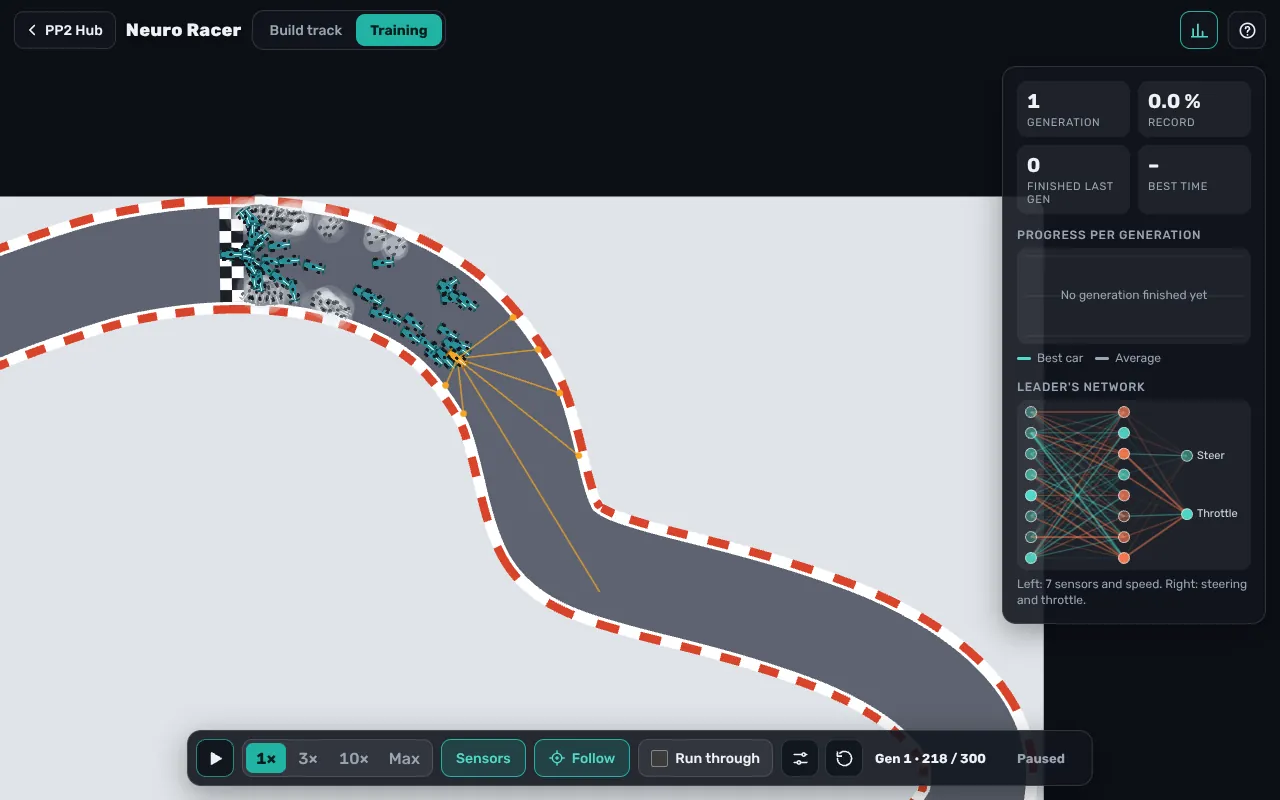
Every car has seven distance sensors fanned out to the front: straight ahead, two slightly angled, two at a wider angle and two almost to the side. Each sensor measures how far it is to the edge of the track. As an eighth value the network gets the car's own speed. The “Sensors” button shows and hides the rays, so you can see exactly what a car “sees”.
What a car decides
From these eight numbers the network computes two outputs through a hidden layer: how hard to steer, and whether to accelerate or brake. The hidden layer has 4 to 16 neurons. More neurons allow finer behaviour, but take longer to settle in.
How it learns
A generation ends when every car has crashed or finished, or when time runs out. A car is out if it leaves the track, makes no progress for three seconds or drives clearly backwards. Then every car gets a score: how much of the track it covered, plus a bonus for cars that reached the finish – the faster they were, the bigger the bonus.
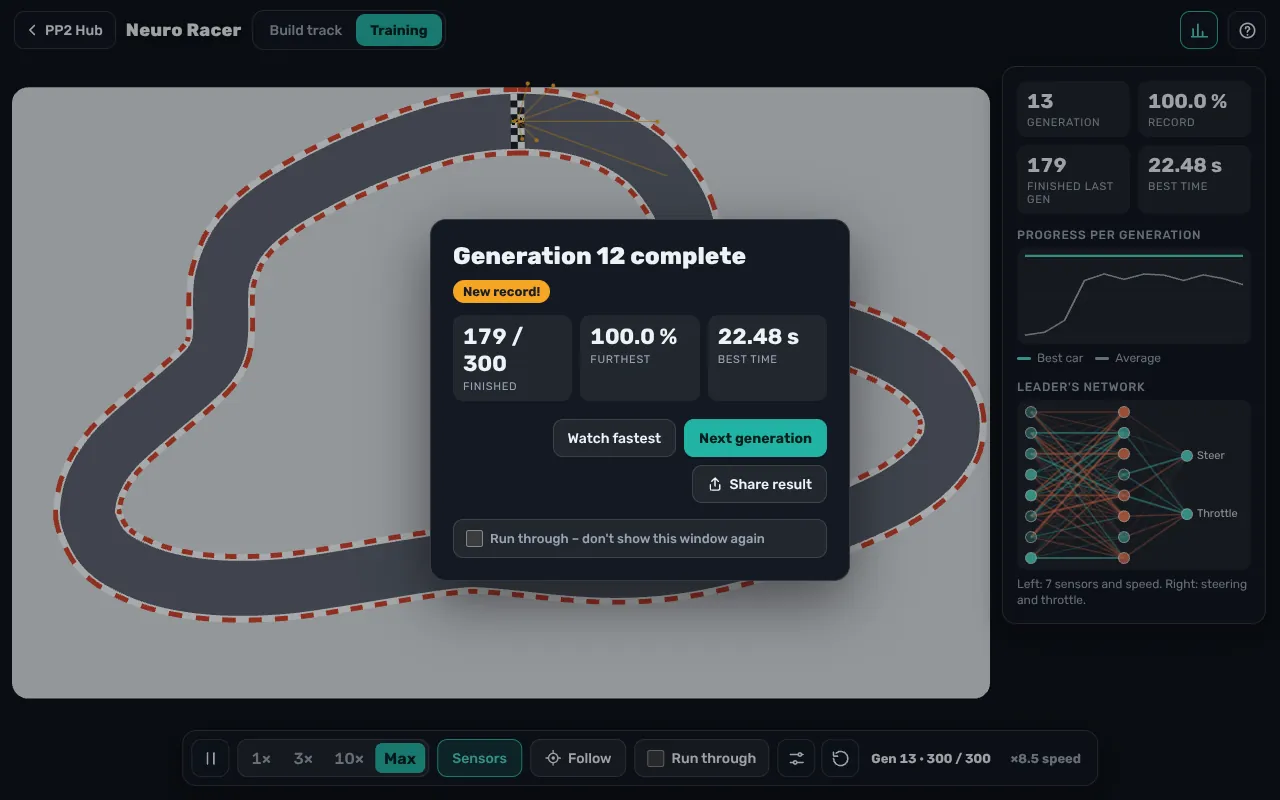
The best two percent go into the next generation unchanged. All other cars descend from the top 15 percent: usually the networks of two parents are mixed, sometimes just one is copied, and in both cases some of the values are changed slightly at random – that is the mutation. The better a car did, the more often it is picked as a parent.
Driving physics
The cars don't run on rails. They have a top speed, accelerate and brake at different rates and have limited grip: if you go into a corner too fast, you can't steer as tightly as you want. That is exactly why good networks eventually learn to lift off before tight corners.
How to use it
Build a track
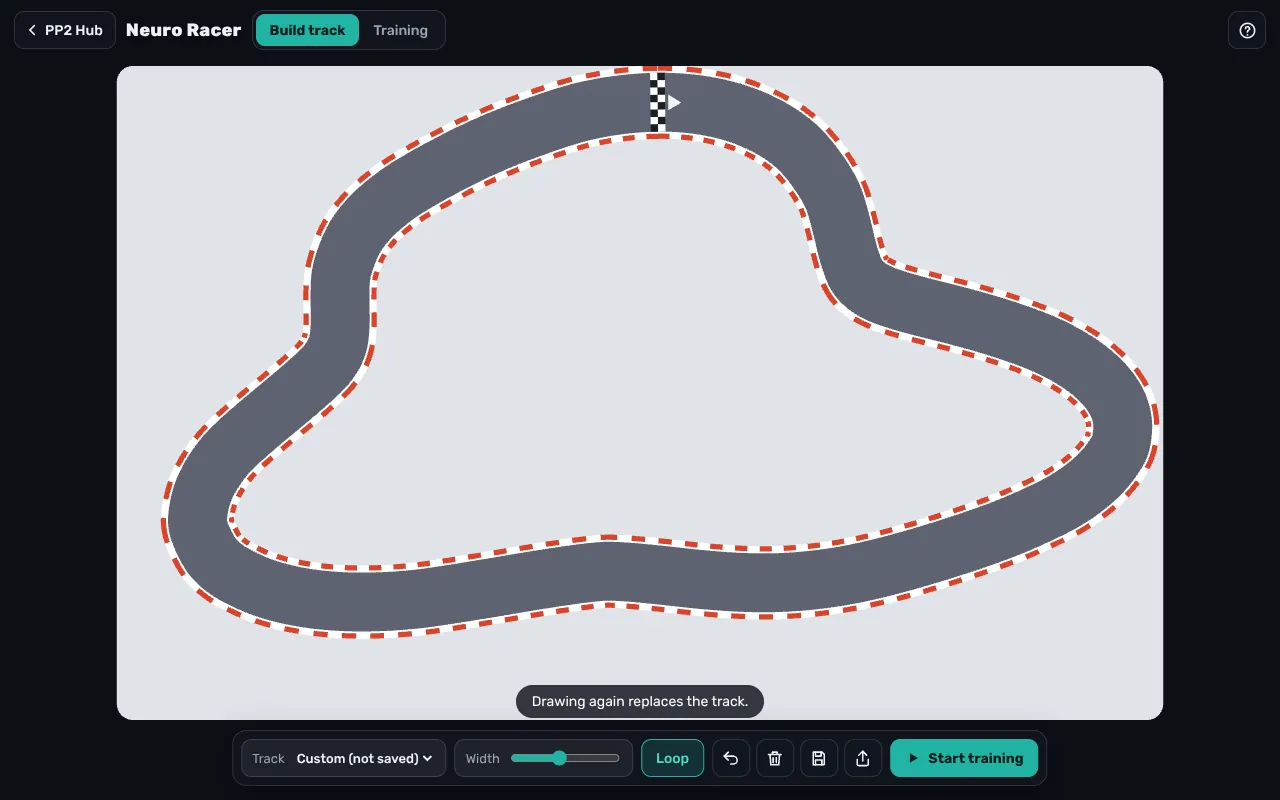
In the “Build track” tab, drag a line with your mouse or finger – it becomes the middle of the road. Wobbly lines are smoothed automatically. If the line ends at the start, it becomes a loop; the “Loop” button closes it by hand too. Set the road width below. Instead of drawing yourself, you can pick one of the templates: Serpentine, Oval, Grand Prix, Figure Eight or Zigzag. Tracks can be saved and shared as a link or picture; Ctrl+Z undoes the last stroke.
Training
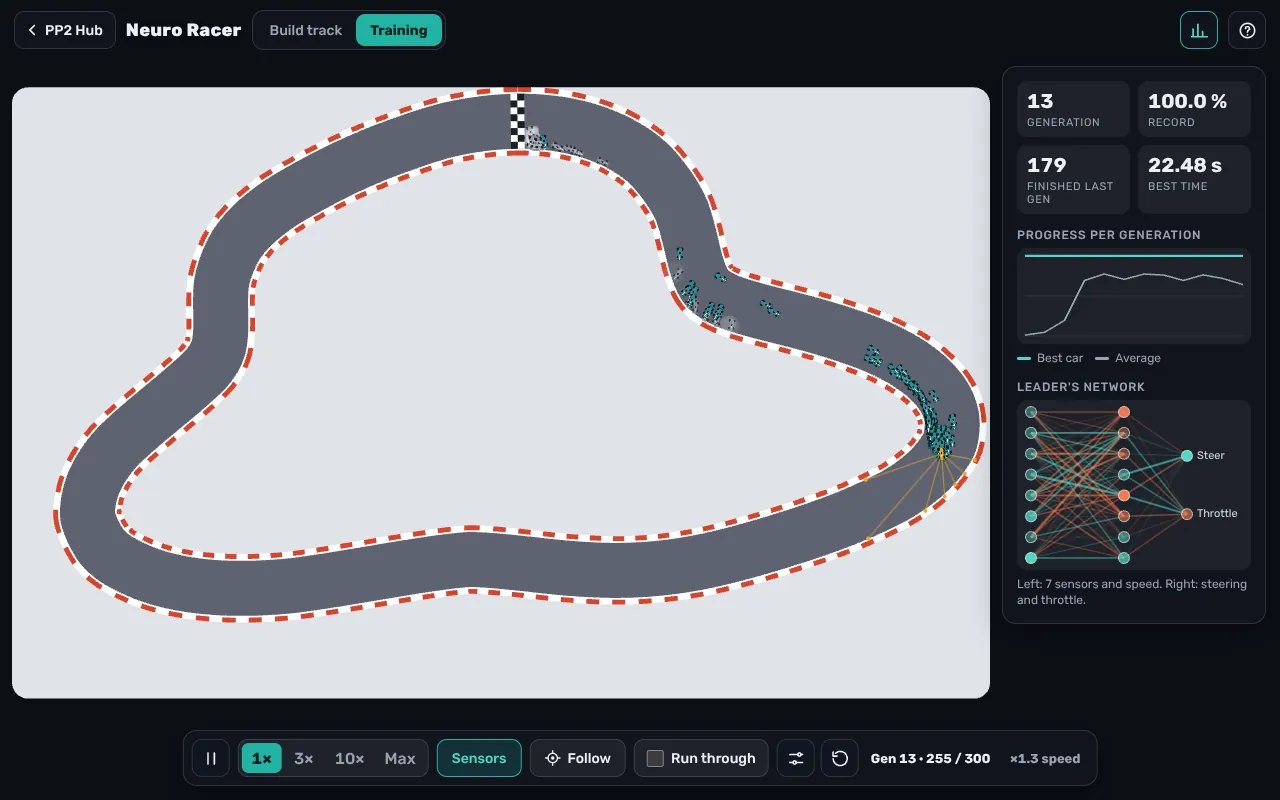
In the “Training” tab you start the first generation. Use 1×, 3×, 10× or “Max” to fast-forward; the space bar pauses. “Follow” makes the camera track the fastest car. After each generation the training stops and shows how many cars finished; “Watch fastest” replays the best car's run. If you don't want to click every time, switch on “Run through”. The stats show the progress across all generations and the network of the best car.
Settings
- Cars per generation: 50 to 2000 (default 300)
- Neurons in the network: 4 to 16 (default 8)
- Mutation rate: 1 to 40 percent (default 10)
- Laps on a loop: 1 to 3 (default 2)
Changing the number of cars or neurons restarts the training, because the networks no longer fit together. Mutation rate and laps can be changed in the middle of training.
Strategy and tips
- Start small. A wide, simple track like the Oval is solved in a few generations. That way you quickly see how learning works.
- More cars for hard tracks. On tight serpentines, a large generation is more likely to contain a car that happens to have the right idea. Each generation needs more computing power, though.
- Use the mutation rate on purpose. If training is stuck, a higher rate helps try new things. Once the best cars drive well, a low rate refines the line.
- Change the track afterwards. The cars keep their brains when you rebuild the track. That lets you test whether they really learned to drive – or just memorised this one track.
- Several laps. On a loop up to three laps count. From the second lap on, you see whether a car drives consistently or just got lucky.
Common beginner mistakes
- The first track is too narrow and too twisty. Then almost every car crashes immediately, and the next generation has little to build on.
- Turning the mutation rate all the way up. Then learned behaviour is lost faster than new behaviour appears.
- Giving up after two or three generations. The early generations often look chaotic; the breakthrough usually comes suddenly.
Frequently asked questions
Does the AI really learn, or is it pre-programmed?
It really learns. The first networks are pure chance. Steering and braking emerge only through selection and mutation over the generations.
Why do some cars drive backwards or in circles?
Because their random network decides so. Those cars drop out quickly and pass nothing on.
Is my training saved?
Your last track, your saved tracks and your settings are kept in your browser's local storage. The training itself starts over after a reload.
Does Neuro Racer run on a phone?
Yes. Many cars need computing power, though; on older phones, 300 cars per generation is a good value.
Behind the scenes
Neuro Racer is written in plain JavaScript and uses no AI library – the neural network, the evolution and the driving physics all live in a single file. To keep even 2000 cars running smoothly at once, the sensors don't check every edge of the track one by one. When you build a track, the game computes once, for every point on the map, how far away the nearest edge is. The sensors then jump to the wall in a few big steps instead of creeping forward pixel by pixel. The freehand line is first simplified and then smoothed, so the road has no kinks.